Website and Mobile App Maintenance: Why Every Business Needs It
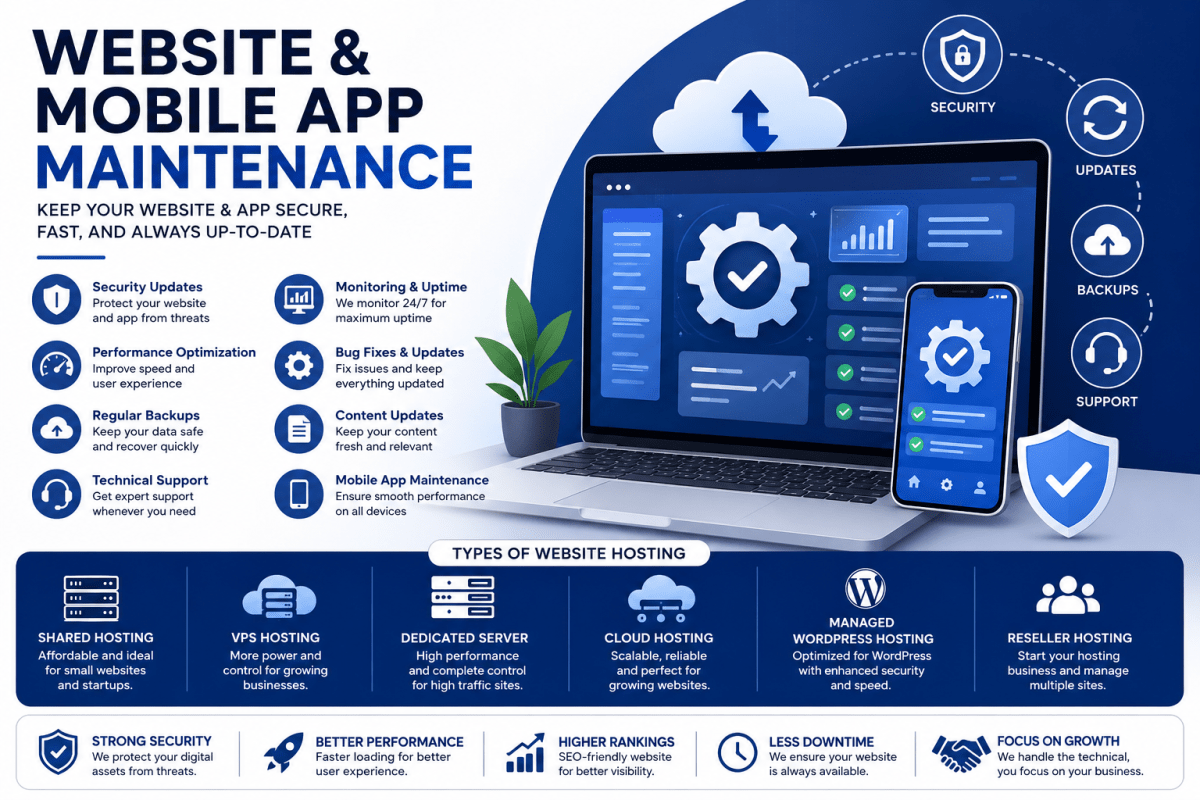
A website or mobile application is never a one-time investment. Once it goes live, it requires continuous attention to remain secure, fast, functional, and compatible with changing technologies. Businesses that regularly maintain their digital platforms provide better customer experiences, reduce security risks, improve search engine rankings, and minimize downtime.
Whether you own a business website, an online store, or a mobile application, regular maintenance ensures your digital assets continue to perform efficiently and support your business goals.
What is Website Maintenance?
Website maintenance is the ongoing process of monitoring, updating, securing, and improving a website after it has been launched.
It includes:
- Software updates
- Security monitoring
- Website backups
- Performance optimization
- Bug fixing
- Content updates
- SSL certificate management
- Database optimization
- Broken link checking
- Server monitoring
- SEO technical improvements
- Malware protection
Regular maintenance helps keep websites secure, reliable, and user-friendly while preventing unexpected technical issues.
What is Mobile App Maintenance?
Mobile app maintenance involves continuously improving Android and iOS applications after deployment.
Common maintenance activities include:
- App version updates
- Security patch installation
- Performance improvements
- Bug fixing
- API updates
- Database optimization
- UI/UX enhancements
- Device compatibility testing
- Operating system compatibility
- Feature enhancements
Regular app maintenance ensures users enjoy a smooth experience while keeping the application compatible with the latest Android and iOS releases.
Types of Websites That Need Maintenance
Almost every website requires regular maintenance, including:
Business Websites
Corporate websites, company profiles, service-based businesses, and consulting firms.
eCommerce Websites
Online shopping stores using WooCommerce, Shopify, Magento, OpenCart, or custom platforms.
Educational Websites
Schools, colleges, universities, coaching institutes, and learning portals.
Healthcare Websites
Hospitals, clinics, laboratories, telemedicine portals, and healthcare providers.
Real Estate Websites
Property listing portals, builders, construction companies, and real estate agencies.
News and Media Websites
News portals, magazines, blogs, and digital publications.
Travel Websites
Travel agencies, hotels, tour operators, and booking platforms.
Portfolio Websites
Personal portfolios, photographers, designers, architects, and freelancers.
Membership Websites
Subscription portals, online communities, and learning platforms.
Government and NGO Websites
Public information portals, charity organizations, and government departments.
Types of Mobile Applications
Businesses today operate various mobile applications, including:
- Android Applications
- iOS Applications
- Cross-Platform Applications
- Progressive Web Apps (PWA)
- eCommerce Apps
- Food Delivery Apps
- Taxi Booking Apps
- Healthcare Apps
- Education Apps
- Banking Applications
- Enterprise Applications
- CRM Mobile Apps
- Inventory Management Apps
- Employee Management Apps
Types of Website Hosting
Choosing the right hosting environment directly impacts website performance and reliability.
Shared Hosting
Multiple websites share the same server resources.
Best for:
- Small businesses
- Personal websites
- Startup companies
Advantages:
- Affordable
- Easy to manage
VPS Hosting
Virtual Private Server provides dedicated resources within a shared infrastructure.
Best for:
- Growing businesses
- Medium traffic websites
Advantages:
- Better performance
- Greater control
- Improved security
Dedicated Server Hosting
A complete physical server is allocated to one organization.
Best for:
- Large enterprises
- High traffic websites
Advantages:
- Maximum performance
- Full customization
- Highest security
Cloud Hosting
Cloud infrastructure distributes website resources across multiple servers.
Best for:
- Businesses expecting growth
- Enterprise applications
- eCommerce platforms
Advantages:
- High availability
- Excellent scalability
- Better disaster recovery
Managed WordPress Hosting
Specialized hosting optimized specifically for WordPress websites.
Includes:
- Automatic updates
- Daily backups
- Security monitoring
- Performance optimization
Reseller Hosting
Allows agencies and web developers to host multiple client websites under one hosting account.
Essential Website Maintenance Checklist
A professional maintenance plan generally includes:
- Weekly website backups
- Core CMS updates
- Plugin updates
- Theme updates
- Malware scanning
- Firewall monitoring
- SSL certificate verification
- Website speed optimization
- Database cleanup
- Image optimization
- Error monitoring
- Broken link fixing
- Security patch installation
- Uptime monitoring
- Contact form testing
- Content updates
- Technical SEO improvements
- Google Search Console monitoring
- Analytics review
Essential Mobile App Maintenance Checklist
For mobile applications, maintenance should include:
- App crash monitoring
- API testing
- Database optimization
- Code optimization
- Security improvements
- Compatibility testing
- Store compliance updates
- Push notification testing
- Payment gateway verification
- User feedback implementation
- Performance tuning
- Feature enhancements
Benefits of Regular Website and Mobile App Maintenance
Regular maintenance provides several long-term benefits:
- Stronger cybersecurity
- Improved website speed
- Better user experience
- Higher search engine visibility
- Reduced downtime
- Improved customer trust
- Better conversion rates
- Longer application lifespan
- Lower long-term repair costs
- Improved business continuity
Signs Your Website Needs Immediate Maintenance
You should schedule maintenance if you notice:
- Slow loading pages
- Broken images
- Website errors
- Expired SSL certificate
- Security warnings
- Outdated content
- Plugin conflicts
- Failed contact forms
- Frequent downtime
- Search ranking drops
Ignoring these issues can affect customer confidence and business performance.
How Often Should Maintenance Be Performed?
Recommended maintenance schedule:
- Daily: Security monitoring and backups
- Weekly: Software updates and testing
- Monthly: Performance review and optimization
- Quarterly: SEO audit and infrastructure review
- Yearly: Hosting evaluation, redesign planning, and technology upgrades