Multi Vendor eCommerce Website Development India

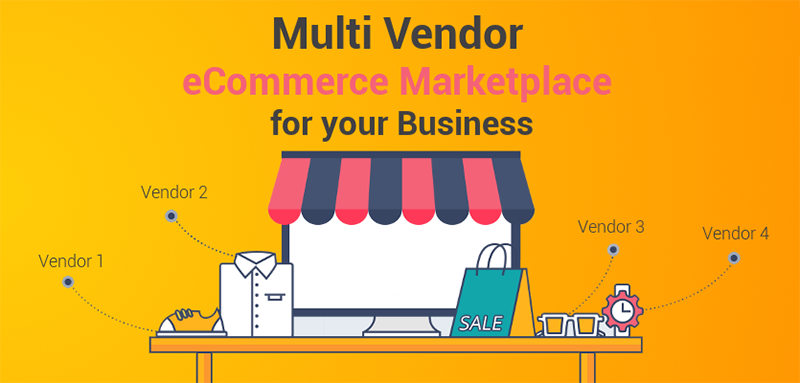
Multi-Vendor  eCommerce Website Design and Developers India

A highly protected e-commerce website is the need of every business in the present fast pace technology market. A flexible website is necessary for boosting your online sales. Multi-Vendor eCommerce India

iBase is one of the best-proven e-commerce website development company in Hyderabad. The customer gets attracted to user-friendly websites. A website should be faster and flexible and contain the best features with some specific functionalities.

Our experienced website developers make a stronger online presence by providing a clear message and help to take immediate actions. we provide intuitive interfaces to the users with fast-loading pages.

Multi-vendor e-commerce website:

Our deliverable include:

  • Separate vendor panel: Here, you can be able to create the subscription for the vendors with different limitations and constraints
  • Distinct catalog for every dealer: In order to directly search for the vendor name in the website, you can display a separate catalog for each seller or a dealer.
  • Adaptable product acquiescence: Make simple and efficient product management. In a multi-vendor system, product consent is both handy and adaptable.
  • Statistics about vendor and user: Giving your vendors an advanced analytics tool can make your sellers completely view the statistics of their sales in your marketplace.
  • Calculations on manual shipping: You can provide 8 world-famous shipping methods for real-time shipping for your vendors and make their work flexible.
  • Immediate order management: keeping track of each and every order can make an explicit relationship between you and your disparate vendor.

Why do you have to choose us for the Multi-vendor E-commerce website?

This website helps you create an online selling platform where you can add each and every item and can add unlimited sellers who can sell their items on your platform and your role is just to give them support.

  • The Multi-vendor website allows your sellers to browse and identify a specific product within a few seconds.
  • Can utilize an opportunity to make an efficient online presence with features like online payment, and shipping services.
  • A powerful dashboard for both the seller and the user for registering your product and updating your stock.

If you are looking for a trusted partner, get Multi-Vendor E-commerce website packages:

Our specialties include:

  • Enhanced design based on SEO parameter
  • Completely responsive website
  • Add to cart functionality
  • Support for one year
  • Stimulated in a local area

Our packages include:

  • Admin panel
  • Significant design
  • Order tracker
  • List supplier

Features of Multi-Vendor E-commerce website

  1. Multiple languages and currencies: OGEN info-system provides an office for the customers to access the data about item costs to their level. This helps you get interested points with continuous value upgrades. Individuals from diverse nations can access and buy items.
  2. Powerful E-commerce platform: OGEN info-system provides you with the complete e-commerce website to grow your business in all aspects by providing you with more than 140 capable e-commerce features and functionalities such as Content Management, Vendor management, Responsive website designing, etc.
  3. Get a beautiful online store for your products: Our designers have coded crafted the design with advanced skills through which 100% customized design is provided and no more templates are used. Even if the customer prefers the template design, we are ready to provide services according to customer interest.
  4. Acceptance of online payments: We have collaborated with the powerful payment gateways where free Indian and International payment gateway account worth Rs.15000 will be offered. We accept payments through Credit & Debit cards, Net Banking, wallets, and many others. We also accept offline payments like COD or Bank Transfer etc.

Call Us for More Details: +91 8501932183

Website Design & Web Development Bangalore

Best Website Design & Web Development Bangalore

iBase is the number one website design & web development, E-commerce & Mobile Apps Development Company in Bangalore, India:

We are a certified Web Designing Company in Bangalore, India. Our professional website developers have a high degree of knowledge regarding the present technologies in the ongoing industries market.

We create websites in a responsive manner to meet the needs of all kinds of customers and Businesses. Responsive Website Designing has become a key for Mobile and Tablet traffic and these take more than half of the Internet traffics.

iBase always keeps in mind that the modern generation reaches the website through mobiles and tablets. This responsive website designing helps us to make use of flexible layouts, Images, bootstrap technologies, and cascading style sheets for media queries, etc.

This style of web designing automatically rearranges the view of the website through which you are viewing.

Our services include:

  • Mobile Apps Development
  • Website Design
  • Domain Registration
  • Hosting
  • Digital Marketing Services
  • Website Development

We provide an additional idea regarding the current market planning, designing and implementing customer deeds, and fulfilling their needs.

We possess 10+ years of intimacy in this field and help our customers achieve their target right from small businesses to large enterprises. Our team of creative web developers escorts our customers to the next level in online presence corresponding to Mobile App Development, Internet Marketing, in order to reach their identity and assessment in the market.

We provide Web Design, Web Development, and Web Marketing for all kinds of Businesses:

  • Web & Graphic Design
  • Domain and Hosting Services
  • Static Web Design and Development
  • Dynamic Web Design and Development
  • Corporate Web Design and Development
  • Android Apps Development
  • IOS Apps Development
  • Mobile Apps Development
  • Windows Apps Development
  • Online Reputation Development
  • Responsive Web Design and Development

Web Design and Development / Online E-commerce Store in Bangalore

iBase is a superior B2C / B2B Web Design and Development company in Bangalore, India. We have done almost 100+ e-commerce websites in B2B and B2C in Bangalore. We also provide our customers with a virtual store for the online presence of their products.

We provide the complete solution for e-commerce such as:

  • E-commerce Web Design and Development
  • Domain Registration
  • E-commerce Hosting
  • Internet Marketing
  • SEO and SMO Services

Our developers also provide training to our customers regarding the way of managing:

  • E-commerce Orders management
  • Shipping management
  • Tax management
  • Customers and coupons management

 We even provide recommendation SMS Gateway, Payment Gateway, and Shipping to our customers.

SEO and Social Media Services and Internet and Digital Marketing in Bangalore

iBase escorts the Internet marketing customer to return on investment with the help of SEO and SMO services. Before we go ahead, we get the complete details of the target audience and also their services-based keywords.

Through this contrast, we will render some suggestions of keywords analysis, competitor reports, and keyword competition in order to understand the ongoing market. We help you increase the website traffics and backlinks via SMM, SEO, and PPC. as a leading SEO company in Bangalore, we provide website analytic services, inspection, and delineating of web data for good understanding and optimized usage of the website.

Call Us for More Details : +91 8501932183

How to Choose Best WordPress Plugins?

A plugin is defined as a piece of software that can be added to your WordPress website for adding additional features and extending functionalities. They are written in PHP programming language and can seemingly integrate with WordPress.

Some of the WordPress plugin considerations are:

  1. Popular

Only popularity doesn’t guarantee that plugin is free from issues. Even some of the most popular plugins are the sources of catastrophic issues and needless code in web pages.

Popularity along with some other factors assure that the plugin is trustworthy and works reasonably well.

  1. Vetted

WordPress provides trusted free plugins to be downloaded on official plugin repository and that is y free plugin should be vetted by WordPress.

WordPress can also remove the download from the repository if any issue seems to occur. The issues may be related to vulnerability and other things as outlined in WordPress Plugin Guidelines.

It is not assured that WordPress is the perfect system for installing a plugin, but it seems safer than downloading a plugin in official WordPress depository.

iBase Solutions is one of the best WordPress Design and Development Company in Hyderabad

Premium plugins are the paid plugins from reputed companies and they have both paid version and free version. The fact is a free version that has been vetted by WordPress are assured with some kind of quality control.

The premium plugins undergo self-testing and are generally safe to purchase and download.

  1. Regular updates through Changelog

Every WordPress page containing plugins notes when the last plugin was updated and sometimes this might not take place because the function it performs may be relatively simple.

As WordPress is constantly updating, some plugins may be abandoned if they are been not updated with the current version or the version of PHP that your website is running in.

  1. The Healthy plugin is indicated by Support Feedback

Every plugin page of the WordPress plugin repository consists of a support page where pieces of evidence are provided regarding the ongoing issues of the plugin. Typical issues may be regarding the code conflicts with other plugins and sometimes WordPress templates need to be changed for the proper functioning of the website.

In this way, the support page reveals all the issues before discovering them in a hard way.

  1. It can overlap with an installed plugin

When two or more plugins are designed to perform the same task, they are the chances that they can overlap. This generally takes place with speed optimization plugins and structured data.

This may generally happen because of stuffing more number of plugins into the website than needed. It is quite important to use as few plugins as possible because overloading of plugins may even result in slow performance of the server.

Even a plugin designed to speed up your site may lag behind if they are designed to work at the same time.

 How to choose WordPress Plugins

The five consideration that is listed above is not the complete list to be considered. There are even some other factors like:

  • User Reviews
  • The reputation of the company
  • Checking whether the plugins are over engineered
  • Over usage of plugins
  • The functionality of the server and so on

Complete optimization of your Google My Business Listing

To achieve Digital Marketing success, many SEO professionals start creating their Google My Business Listing at the same place.

GMB is a free tool from Google which helps the Business owners to manage their online presence and growing portfolios of utilities. Google’s graph utilizes verified GMB information to generate details about the businesses for its database that are relevant to some specific searches.

Google Map location is generated once after finishing a new listing to synchronize with traditional Google search for searchability and accessibility.

You can make use of this guide to complete your Google My Business correctly to get great leverage on Google and other third-party platforms.

Basics of GMB

In order to endeavor digital marketing into your business, you need to learn some basics to understand Google My Business and its offers.

Google My Business gives your website a public identity and an active presence with a listing on Google. The information you provide about appears on Google search engine and maps.

If you have already used some Google tools for complementing your business then there are chances that they have already listed on GMB. Google+ Pages and Google Places for Business are the best places to manage your business information.

How to start your Google My Business Listing

The initial step for getting into your Google My Business listing up to ensure that you don’t already have a GMB listing. If your business has been around for several years, it is likely to be present on GMB listing and the only thing you need to do is to claim it.

Now, head over to the Google My Business page to add your important business information for claiming GMB listings and make sure that is doesn’t already possess the list you need to claim. However, it notifies you if there is a listing for your business before.

Adding and Editing Service Area Business Details

  • Sign in to Gmb by using “card view ” present on the right side above your locations
  • Click “manager Location” to choose the listing you would like to make
  • Click “Address” sec from info of the menu bar
  • Now select “yes” next to “I deliver goods and services to my customer locations”
  • Enter your service area
  • Click apply

How to verify your Google My Business

Listing

You will surely need to verify your listing, once after submitting your business information and your service area. This verification plays a crucial role in the visibility and performance of your business listing.

This may help to weed out false listings if any that would misdirect the users. However, it is important to note that Google won’t display your business and none can access your analytical information until it is verified.

This process typically takes a week and Google sends you a verification code to your mail in acknowledgment to your verification.

How to publish your Google My Business Listing

It is important to utilize all the tools that Google offers to publish your GMB listings. Here are some crucial steps to be followed for optimizing your listing:

  • Enter a clear and complete data needed for your listing
  • Include keywords
  • Keep accurate hours for business operation
  • Add photos
  • Respond to customer reviews

Customer Actions

Once after publishing your work, customers show up and takes a certain type of actions on your listing:

  • They Visit your website
  • Ask for directions
  • May call you
  • May give feedback

Essentials of Local SEO and Listings Management Tools

Nowadays, online presence is essential for local as well as global businesses with physical locations.

It may seem contradictory for the businesses to focus on online presence until they realize that customers are precisely taking decisions through online platforms.

Businesses can make use of this platform and can attain their goals with the right approach and right tools. The tools that help reach such goals include Local SEO and Listings Management.

The features of Local SEO and Listings Management includes:

  • Automated listings finder
  • Ability to update all the listings with a single click
  • Review Management, which helps to directly reply to the customer
  • Analytical tools

Some of the above-listed features may focus only on one solution while others may offer an all-in-one solution to the issue. And you need to pick the tools based on your unique needs.

Following are some of the Local SEO and Listings Management Tools

  1. Yext

It provides a variety of solutions which help in improving your brand using local SEO.  It also integrates with various directories and updates your business information from time to time.

Yext provides some popular local SEO tools. They are:

  • Yext pages
  • Knowledge Manager
  • Yext Reviews
  • Yext Listings
  • Analytics
  • Data cleaning
  • Duplicate listing prevention
  • Google My Business and Listings management
  1. Whitespark

Whitespark has stepped into Digital world as a web design agency, but now it offers various SEO software tools which help businesses for local search marketing.

The most popular tool that whitespark offers you is the Citation Finder. It helps you to find the citation opportunities to relevant local search rankings.

This tool is free for 3 searches per day and you can also get a paid subscription starting at $17 per month for 20 searches per day.

Other whitespark tools include:

  • Reputation Builder
  • Local rank tracker
  • Review monitoring
  1. Moz Local

This tool may be perhaps the most popular local SEO tool on the list. It has been trailblazing the local SEO tool over 10 years in the software market. So you can trust their data and methodologies.

This tool works for both small and large enterprises, ensuring that the online listings are correct and consistent so that is can boost the website visibility.

It works by sending your listings to major search engines and business aggregators. Using this tool, you can easily edit your listings simply by logging into MOZ Local and making necessary changes – there’s no need to edit each directory individually.

Another advantage through MOZ Local is it links with Google My Business so that you can receive alerts when you get new reviews and you can reply to your customers in a timely manner.

  1. ReviewTrackers

This is a customer review software tool which sends alerts on various review websites regarding the customer feedbacks and makes this information available only on one dashboard.

Using this tool, you can monitor reviews, solicits feedback, and can track your performance. Some of the popular brands like Midas, American family insurance, and Subaru use this tool.

  1. Local SEO checklist

This tool fixes technical local SEO issues taking place on your website. Apart from the checklist, you can utilize this website for:

  • Checking for your GMB whether it is following the correct guidelines or not.
  • Checking for right schema markup for your content
  • Using a free scanning tool to check your business listing appears out of various websites.
  1. Synup

This is an all-in-one software marketing suite specially designed to monitor your analytics, manage your listings, and to create your reports.

It also facilitates various listings updates and notifies you whenever a new update is created about your business. To catch inconsistencies, it crawls over 200 local search engines.

  1. Bright local

This tool is used by more than 62,000 agencies and business and regarded as one of the most popular local SEO tools.

It features include:

  • Customized dashboard
  • Lead generation tools and widgets
  • Tracking of organic and mobile rankings
  • Audits directory sites
  • GMB and NAP audits
  • Alerts on online reviews
  1. Advice Local

This tool is similar to Yext in some ways but more advantageous when compared to Yext. It can manually build local citations where Yext uses API. This may take a bit longer time for Advice Local to get a good percentage of the score in directory submissions because the information is limited to the basics of NAP.

  1. SEMrush

It is a popular SEO tool trusted by brands such as HP, Quora, and eBay. It helps users by providing information about website traffic management, keyword management, and other useful SEO data.

They have recently introduced their own listing management tools in collaboration with Yext and it is currently under Beta testing for its publication.

It is quite easy to use because you just have to provide the data and find your location. Later, it provides you the list of your listings and their status for each of your website directory.

Call Us for SEO Services to Your Business – +918501932183